Download Instagram Reelsin HD, Free!
Paste the link of any public Instagram Reel and save the video as an HD MP4 with audio. No login, no app and no watermark, on iPhone, Android or PC.
- HD MP4 with audio
- No watermark
- No login or app
Want Instagram Stories too?
Use our Story Downloader. Enter the username of any public account and download its Stories from the last 24 hours as MP4 videos or JPG photos.
Download a Reel in 3 steps
No app to install.
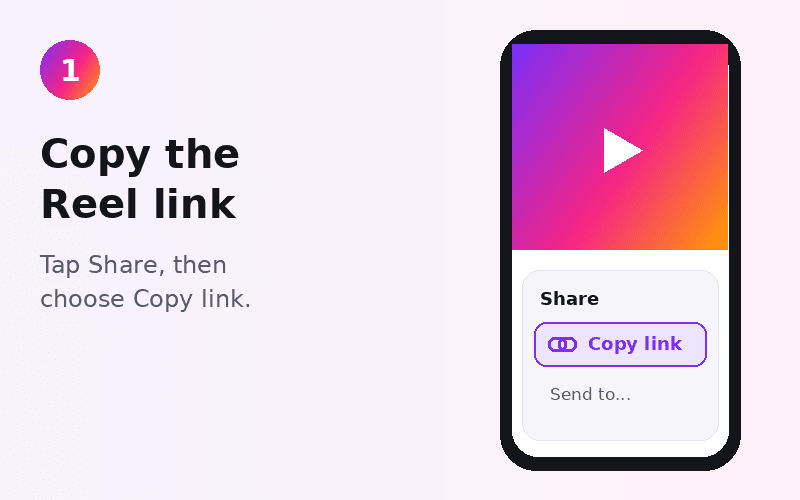
Step 1: Copy the Reel link
Open the Reel in Instagram, tap Share and choose Copy link.
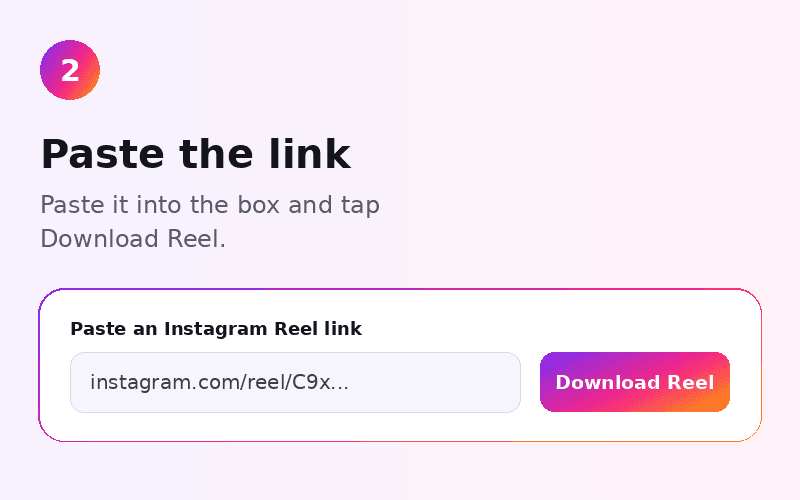
Step 2: Paste the link
Paste the link into the box above, or tap the Paste button.
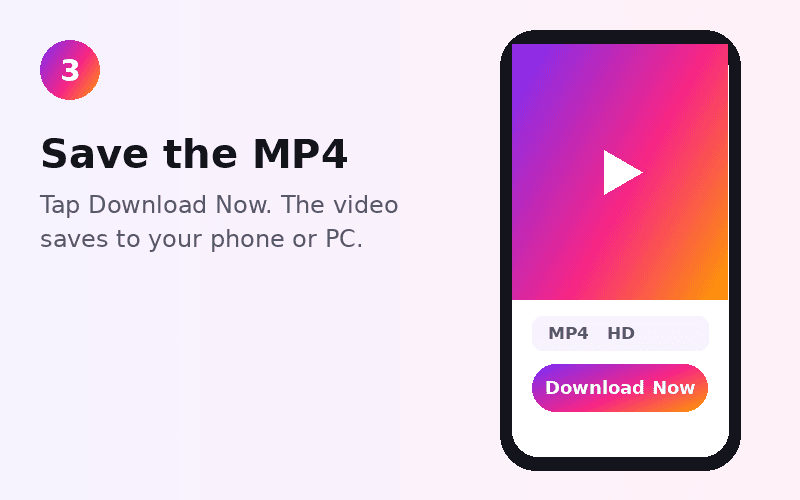
Step 3: Save the video
Tap Download Now to save the HD MP4. It is usually ready in under a minute.
How ReelsDownloads compares
Many downloader sites are full of pop-up ads, fake buttons and redirects. ReelsDownloads keeps it to one box and one button.
| Feature | ReelsDownloads | Typical Downloader Sites |
|---|---|---|
| Free to use | Yes | Varies |
| No login or app install required | Yes | Varies |
| No watermark added to downloads | Yes | Varies |
| HD MP4 output with audio | Yes | Varies |
| No pop-up ads or forced redirects | Yes | Usually not |
| No unnecessary data storage | Yes | Varies |
What you get
- Free to use
- No subscription, no hidden fees and no sign-up.
- Original quality
- You get the best quality Instagram serves, with no extra compression.
- No watermark
- Nothing is stamped on your video or photo.
- Works everywhere
- Chrome, Safari, Edge or Firefox on any phone, tablet or computer.
- No login
- We never ask for your Instagram username or password.
- Nothing stored
- Files come straight from Instagram. We keep no copies.
What Is an Instagram Reels Downloader?
An Instagram Reels downloader is a tool that saves a public Instagram Reel to your device as an MP4 video. Instagram’s own Save button only bookmarks a Reel inside the app; a downloader gives you the actual file, so you can watch it offline, keep a backup or use it in your own edits. For the difference between the two, see how to save Instagram Reels for later.
How to Download an Instagram Reel
- Open the Reel in Instagram, tap the share icon and choose “Copy link”.
- Paste the link into the box at the top of this page.
- Tap “Download Reel” and wait. It usually takes under a minute.
- Tap “Download Now” to save the HD MP4 to your device.
Need more detail? Read the full step-by-step guide to downloading Instagram Reels.
How to Download Instagram Reels on iPhone
- Copy the Reel link from the Instagram app.
- Open this page in Safari, paste the link and tap “Download Reel”.
- Tap “Download Now”. If the video opens in a new tab instead, tap the Share icon and choose “Save Video” or “Save to Files”.
- Find it in the Photos app, or in Files → Downloads if you saved it there.
How to Download Instagram Reels on Android
- Copy the Reel link from the Instagram app.
- Open this page in Chrome, paste the link and tap “Download Reel”.
- Tap “Download Now”. If the video starts playing instead, tap the three-dot menu and choose “Download”.
- The MP4 is saved to your Downloads folder and appears in your Gallery.
How to Download Instagram Reels on PC or Mac
- Open the Reel on instagram.com and copy the URL from the address bar.
- Paste it into the box above and click “Download Reel”.
- Click “Download Now”. If the video opens in a new tab, right-click it and choose “Save video as…”.
How to Download Instagram Stories
- Open the Story Downloader.
- Type the account’s username (for example natgeo) or paste its profile link.
- Tap “Get Stories” to see every Story from the last 24 hours.
- Tap “Download MP4” or “Download JPG” under the Story you want.
Only public accounts are supported. For more detail, see the Story Downloader guide.
Does the Downloaded Reel Include Audio?
Yes. The MP4 contains the Reel’s original audio track. If Instagram has muted a Reel’s music for copyright reasons, the downloaded file will be silent too, as it matches what Instagram serves.
Why Is My Instagram Reel Not Downloading?
- The Reel is from a private account. Only public Reels are supported.
- The Reel has been deleted, archived or restricted by Instagram.
- The link is not a Reel link. It should look like instagram.com/reel/…. Post links (/p/…) and profile links won’t work.
- Instagram is temporarily slow to respond. Wait a minute and try again.
Can I Download Private Instagram Reels?
No. ReelsDownloads works only with Reels and Stories that anyone can view without logging in. Private accounts, restricted content and anything that requires a login are not supported.
Is It Legal to Download Instagram Reels?
Copyright and Instagram’s terms still apply to anything you download. Only download Reels that you own, that are licensed for reuse, or that you have explicit permission to use. New to this? Start with our beginner’s guide to Instagram Reel downloads.
Copyright and DMCA
ReelsDownloads does not host or store any videos or photos. Every file comes directly from Instagram’s servers, and all content belongs to its original creators. We respect copyright and respond to valid takedown notices, including those under the DMCA. If you are a rights holder, read our copyright policy or contact us.